
Real estate platform makeover with enhanced search & compare capability.
How might we...
update the platform to make property navigation and comparison easier to scan, more user-friendly, and visually appealing?
Next Steps
More user research and usability studies
I would validate the design with small-scale usability studies to observe users in search tasks, uncover efficiency insights, and identify unmet needs.
Construct a design system
Build a comprehensive design system including a defined color palette, typography chart, and iconography to maintain consistency and scalability across the product.
Integrate an onscreen mortgage calculator
Add an interactive mortgage calculator to the property detail page, giving users real-time monthly payment estimates based on price, down payment, interest rate, and loan term.
More like this

YiSen Technology - Oct 2022
A centralized LMS built for music students to engage in personalized & flexible learning.
View Project
Go Valley - Aug 2021
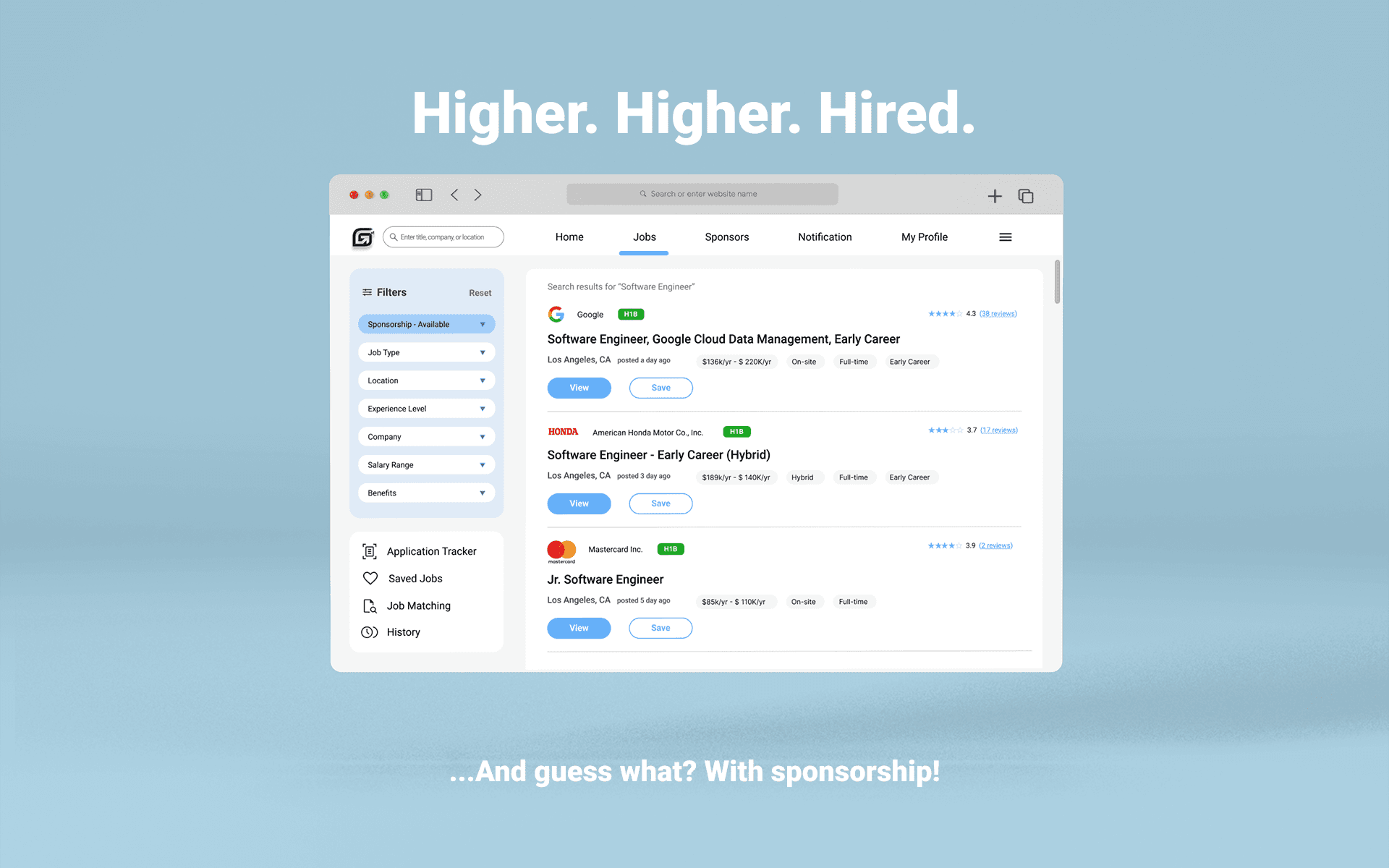
Simplifying job searching for international users with sponsorship requirement.
Overview
WeTrust Realty provides a web-based platform that helps realtors and buyers review and compare property data for real estate buying assessment and analysis.
I redesigned the experience to improve scalability of core functions, navigation clarity, and mental load across Search Results, Comparison, and Property Details.
Problem
Users struggled to efficiently search and compare residential properties using key industry attributes.
Overwhelmed by Information
Comparison
Friction
Inconsistent
Navigation
User Needs
Quick access to comparable data
Save properties from results to revisit findings
A familiar, scannable, data-dense layout
A frictionless flow from high-level view to details
My Role
Lead UX Designer
Duration
Dec 2024 - Mar 2025
Team
Product Manager
Engineer
UX Designer
Platform
Website App
02
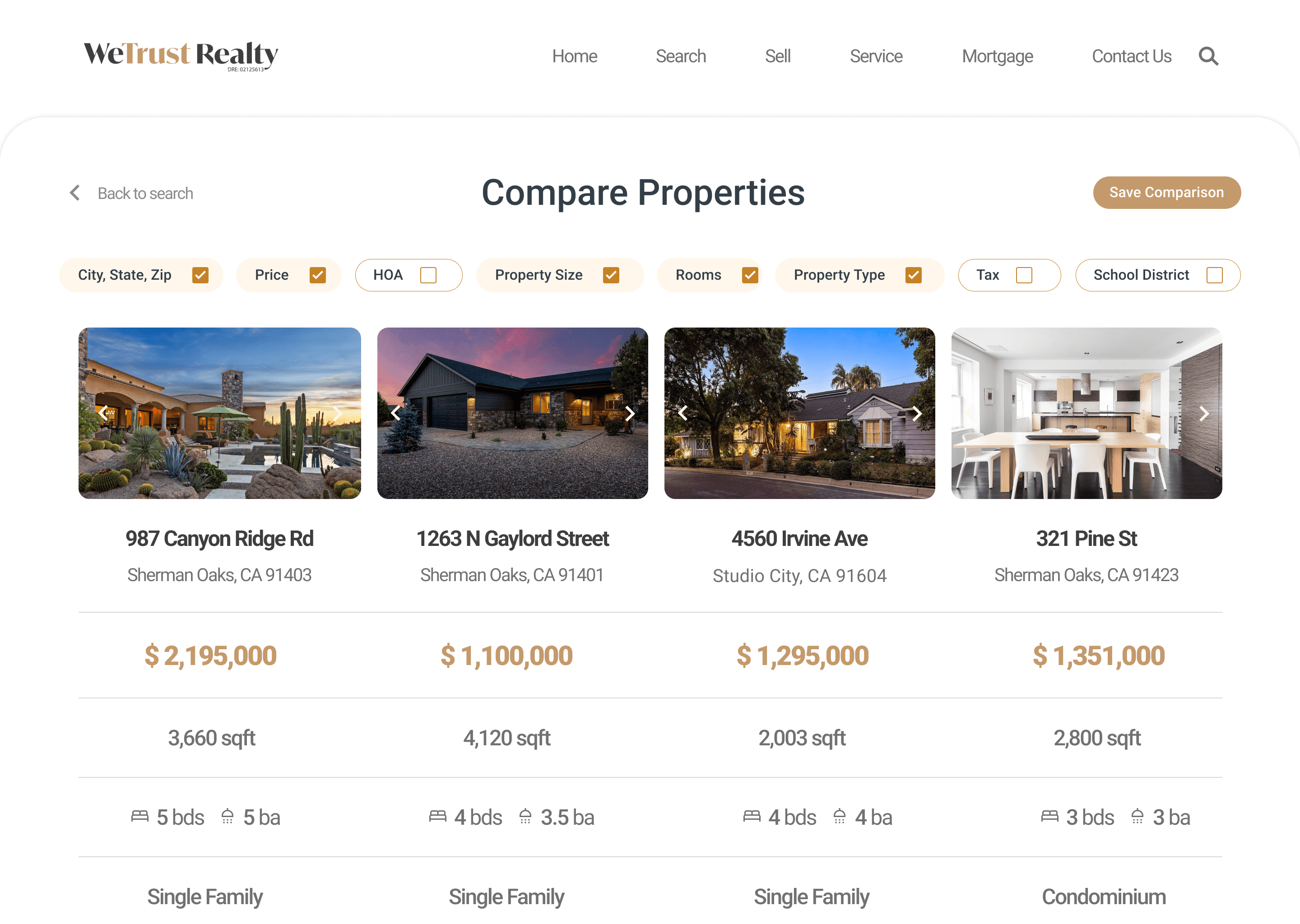
Side-by-side Comparison
User Journey
Open the main search page
1
Type an area, city, zip code or state
2
View the results list
3
Select properties you’re interested in (check to select)
4
Click Compare Properties
5
New Feature
Impact
By addressing user needs for quick access to comparable data and smoother evaluations, the new design boosted engagement by 15%.
Supports iterative workflows with saved comparisons for later review, more efficient evaluations, and quicker decisions.
Save Comparison
Displays selected properties in parallel columns with user-controlled filters to show only the most relevant data fields.
Side-by-side Layout
01
Search Results Page
Before
After
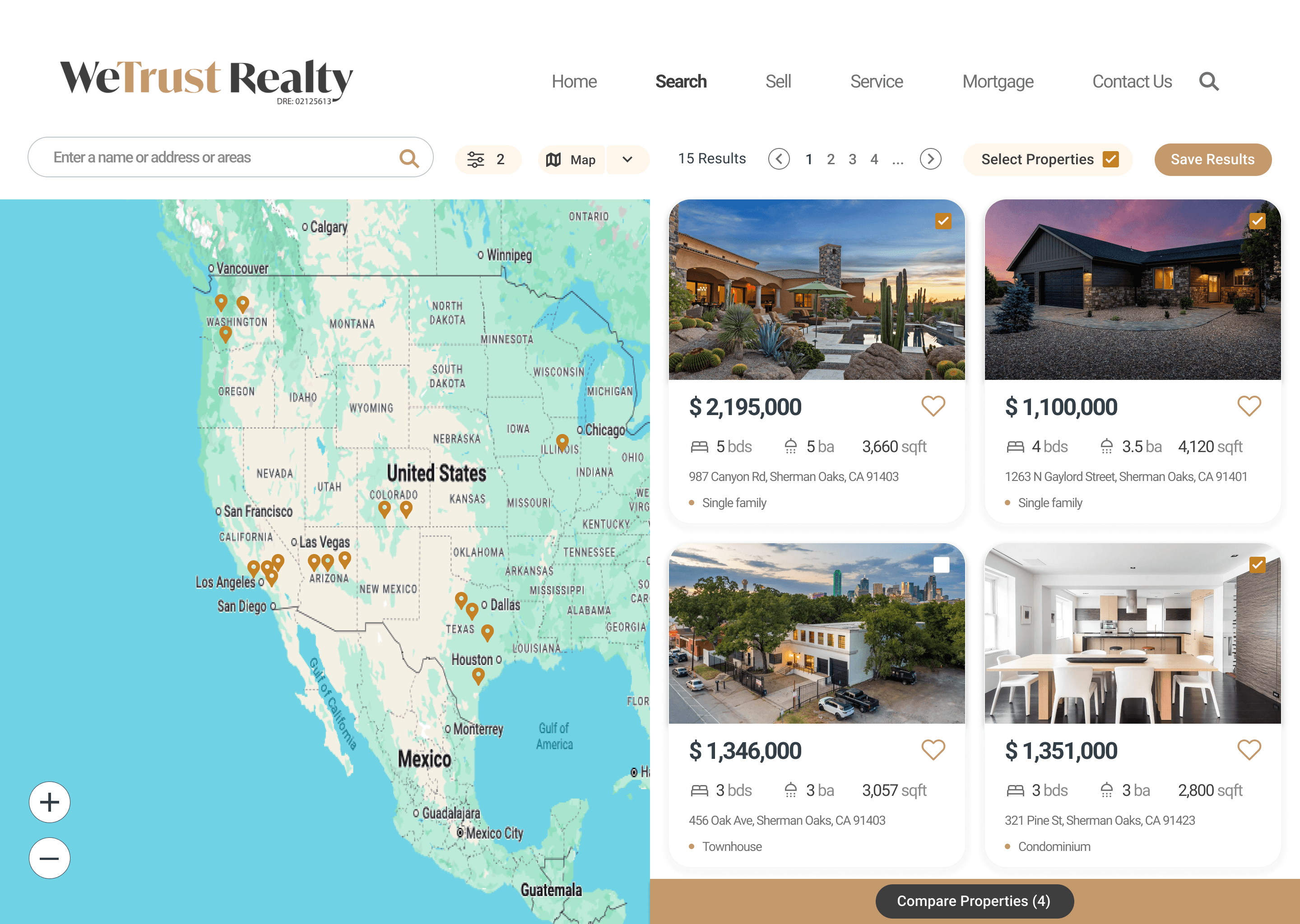
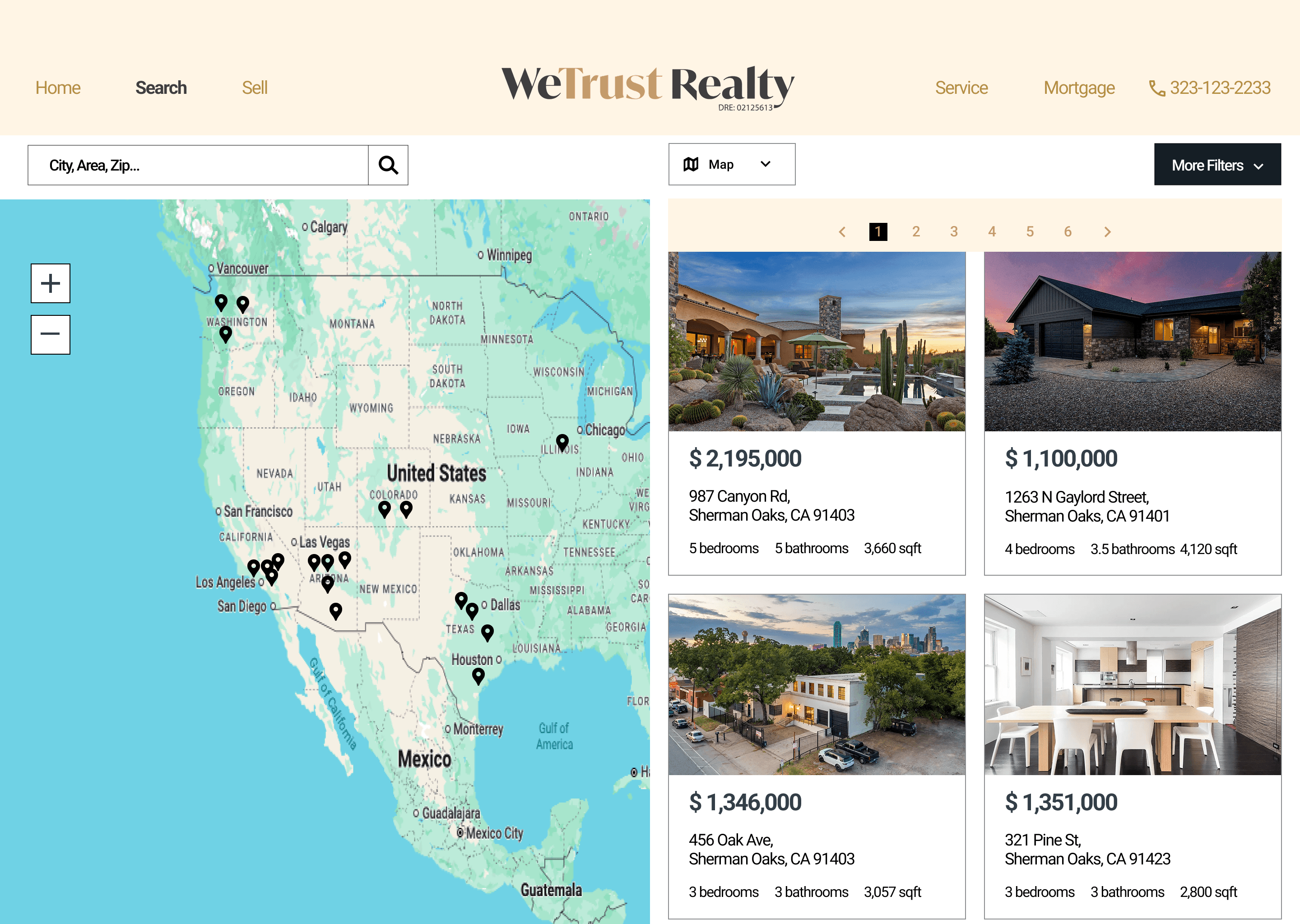
Cleaner, More Modern UI
Rounded corners, softer shadows, and more whitespace, making the cards easier to scan and more visually appealing.
Added functionality that allows users to select multiple listings from search results and compare them quickly.
Compare Property Feature
Improved Search & Filter Experience
Search bar simplified with clearer prompt and visible filter chips, giving users instant awareness of applied filters.
Easier shortlisting of favorites and smoother flow into the comparison, keeping multiple listings organized
Like & Select Options
Impact
By improving the search flow and introducing Like & Save options with a Compare feature, the redesign achieved an 8% uplift in conversion.
03
Property Detail Page
Before
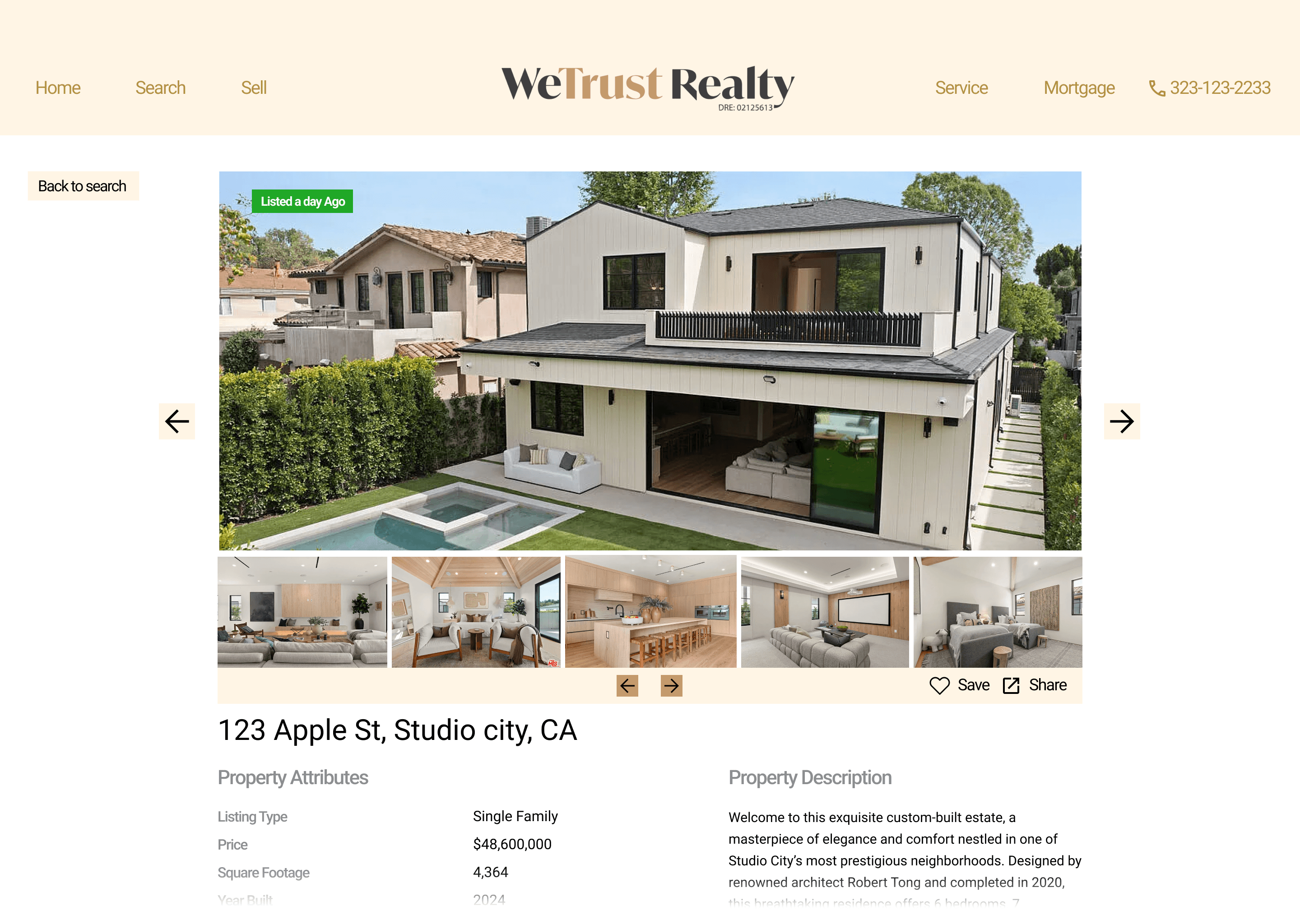
After
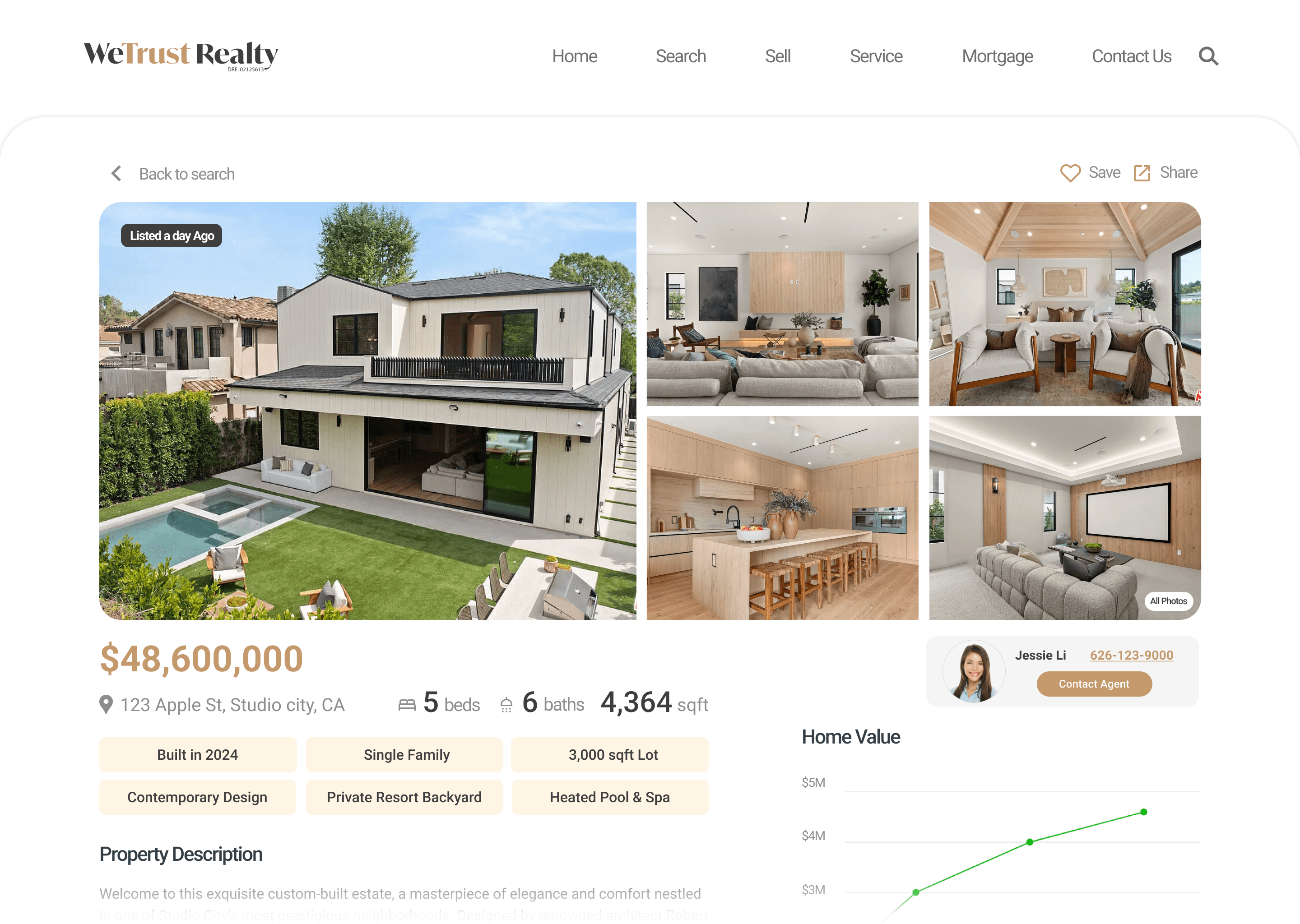
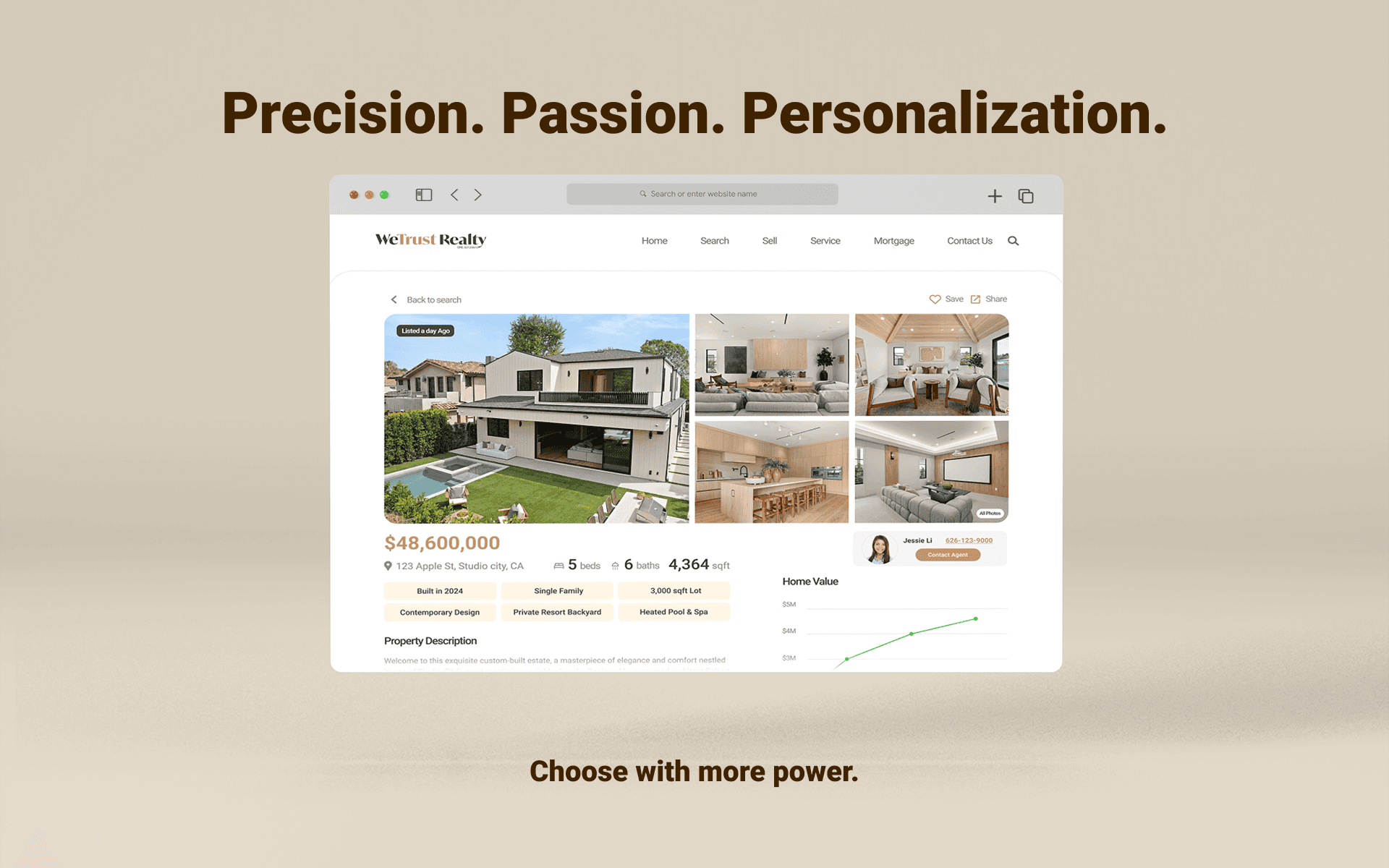
Dynamic Gallery & Layout
A larger hero photo with an image grid and double-panel layout keeps the page clean and supports natural navigation flow.
Progressive Disclosure
Key stats appear at the top, while highlight chips emphasize selling points to prevent overwhelming users and reduce fatigue.
Integrated Agent Contact
A dedicated agent profile card places all inquiry tools in one spot, driving faster contact and higher conversion.
Added Market Context
An interactive Home Value chart shows price history and trends, giving users context for informed decisions.
Impact
Transformed the page into a more engaging, scannable experience that reduced friction and resolved key pain points.