More like this
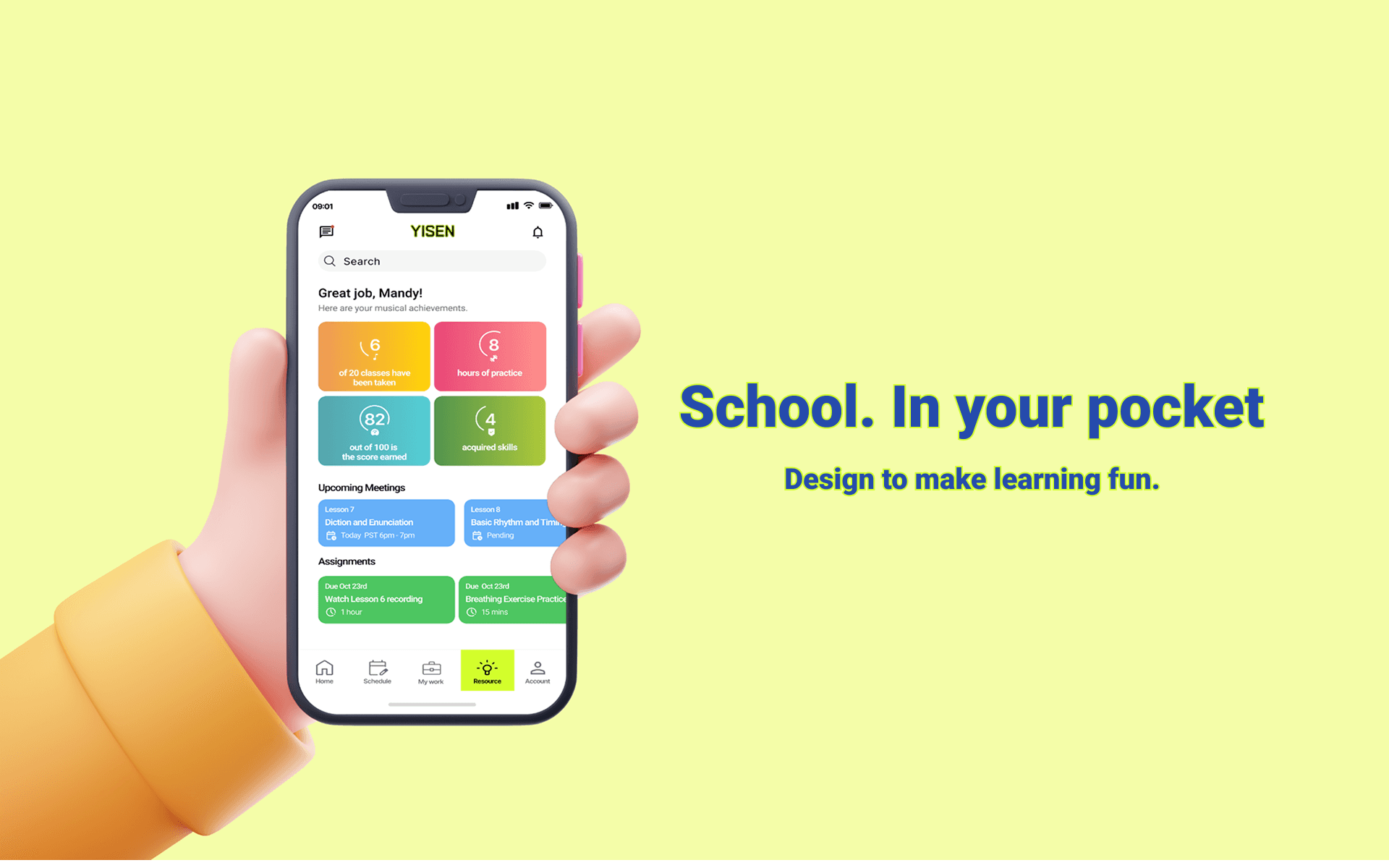
YiSen Technology - Oct 2022
A centralized LMS built for music students to engage in personalized & flexible learning.
View Project
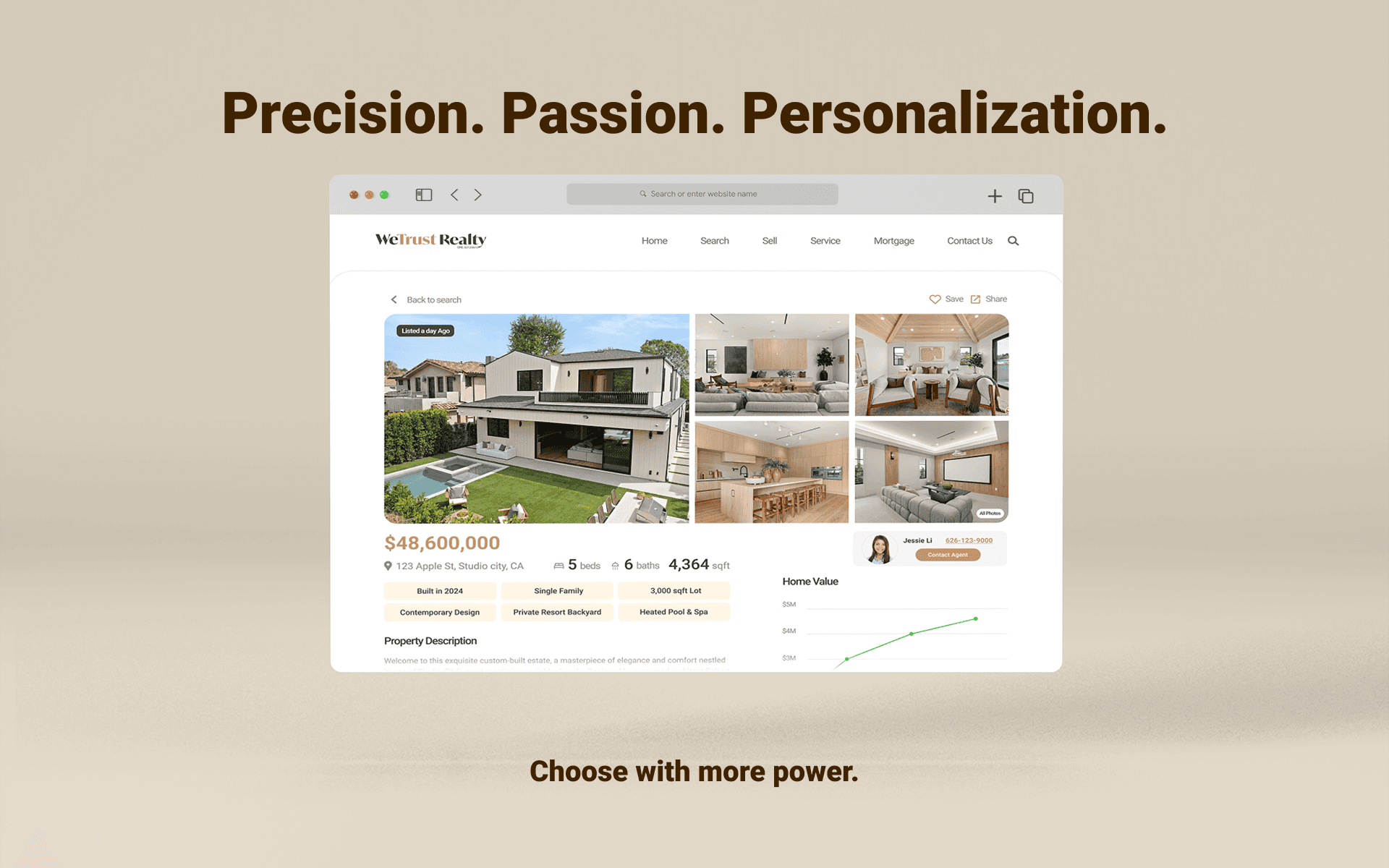
WeTrust Realty - Mar 2025
Real estate platform makeover with enhanced search & compare capability.
View Project
My Key Takeways
Deeper user research to refine workflows.
Centering design decisions around user needs helped resolve key pain points and resulted in a platform that makes job searching clearer and more empowering.
Collaborating across disciplines reinforced how shared insights and continuous dialogue lead to stronger, more unified product decisions.
The Next Steps Are
Developing a native mobile app would make the platform more accessible and seamless across devices.
Expanding global accessibility would make the platform more inclusive through multi-language support and localized insights.
03
Personalized User Center for Managing Job Search Progress
What we changed?
In response to users wanting better visibility into their applications, we built a personalized user center that centralized their job search progress.
Application Overviews
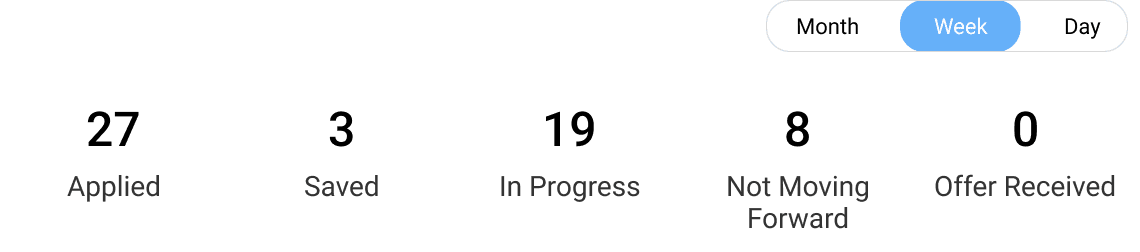
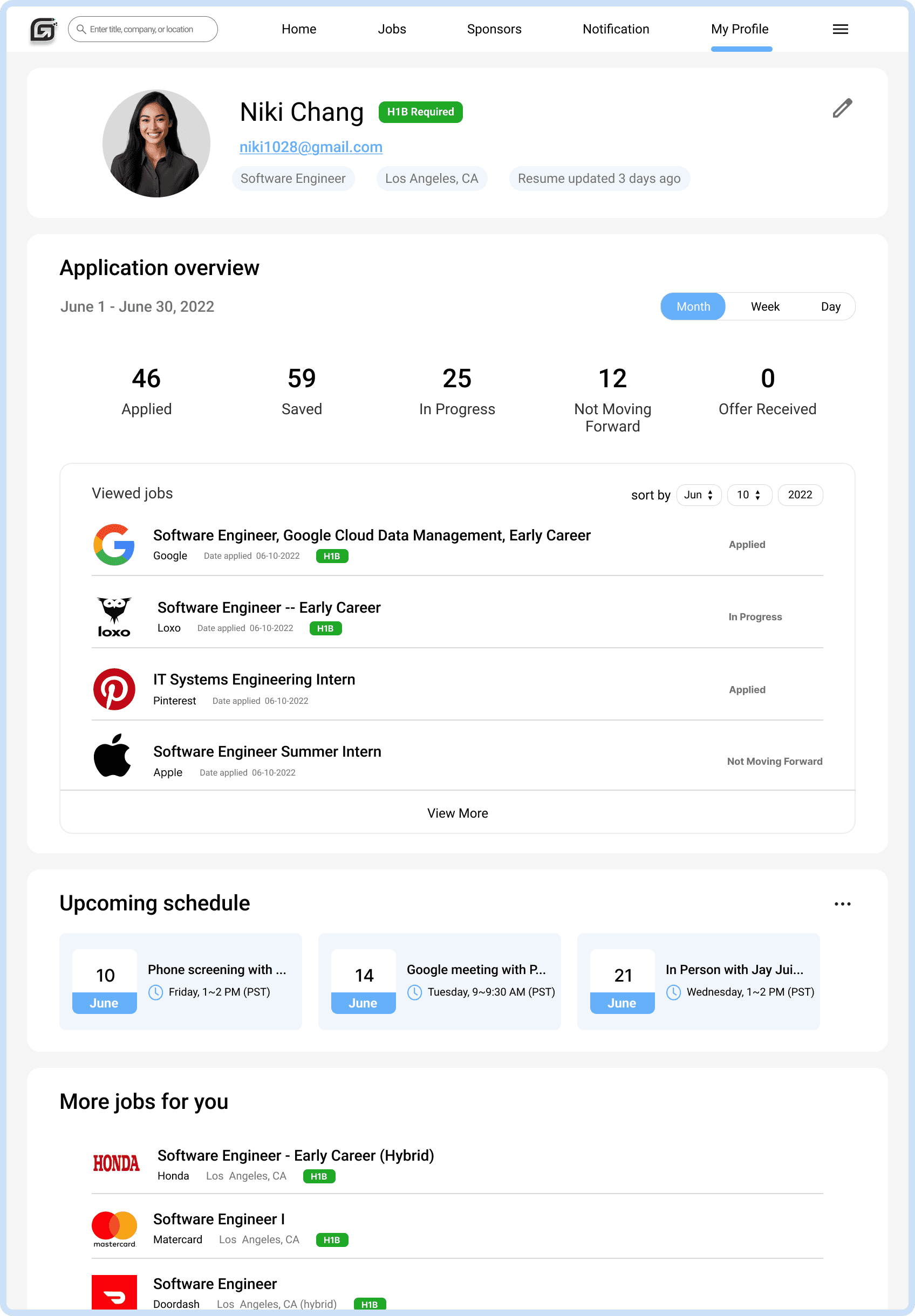
Application Overview Dashboard — Delivered a clear summary with month, week, and day views, helping users quickly grasp their job search status.
Add event
Edit
Remove
View details
June
10
Phone screening with ...
Friday, 1~2 PM (PST)

Upcoming Schedule
Upcoming Schedule Section – Surfaced upcoming interviews and meetings in a clean card layout, giving users a place to add schedules and set reminders.
More Jobs for You
View More
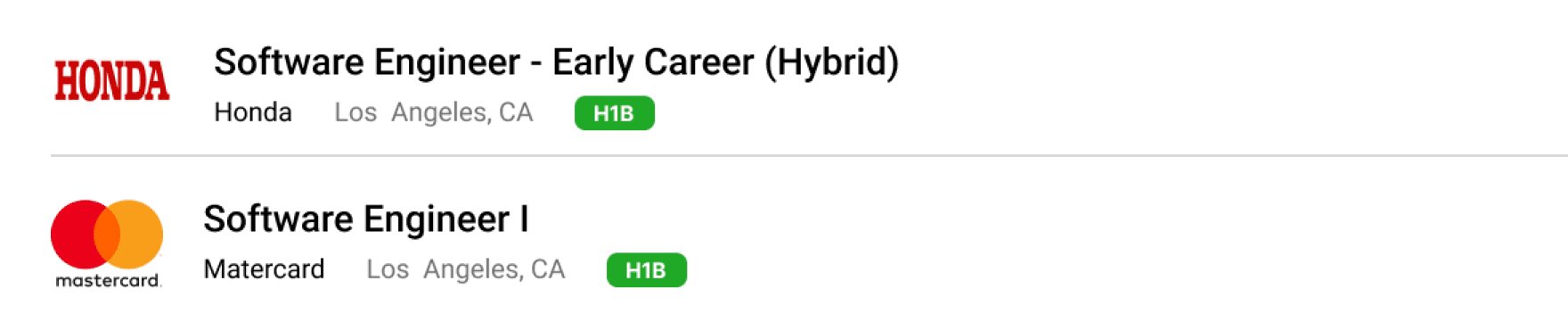
Personalized Job Recommendations – At the bottom of the profile page, we suggested roles based on user behavior to highlight new opportunities.
Applied Jobs


Option 2: to track how many jobs were applied on a given date

Option 1: to search for specific company role

Applied Jobs Tracker — Displayed all applied jobs with status labels, helping users track activity without losing context.
02
A Smarter Sponsorship Hub
What we changed?
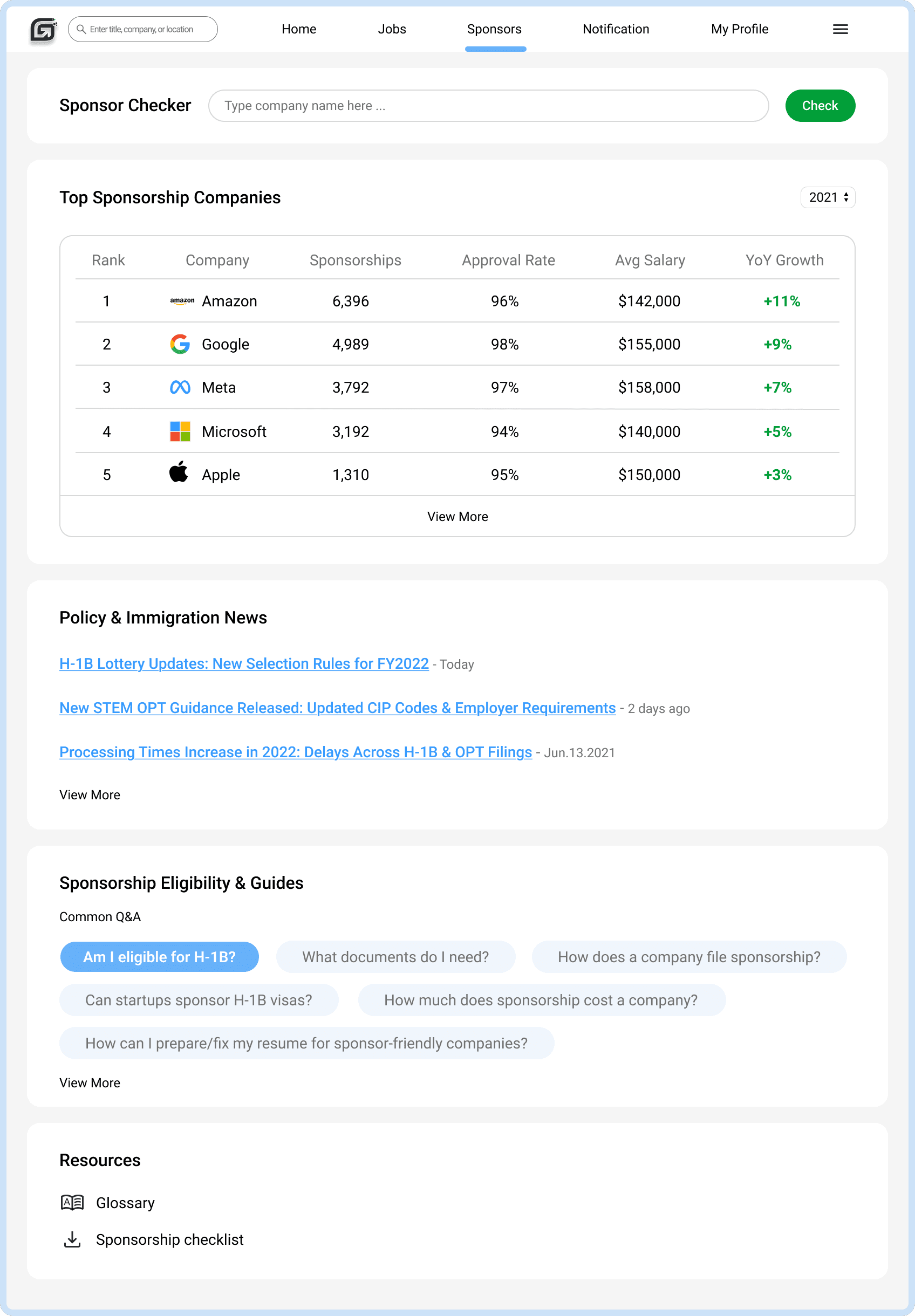
We shifted the sponsor page from a simple ranking to a richer experience by structuring it into card-style sections that help users quickly understand sponsorship eligibility and key information.
Sponsor Checker
Type company name here ...
Check
Yes! This company offers sponsorship.
This company may not offer sponsorship.
Sponsor Checker Tool — A quick search bar that let users instantly check if a company offered visa sponsorship.
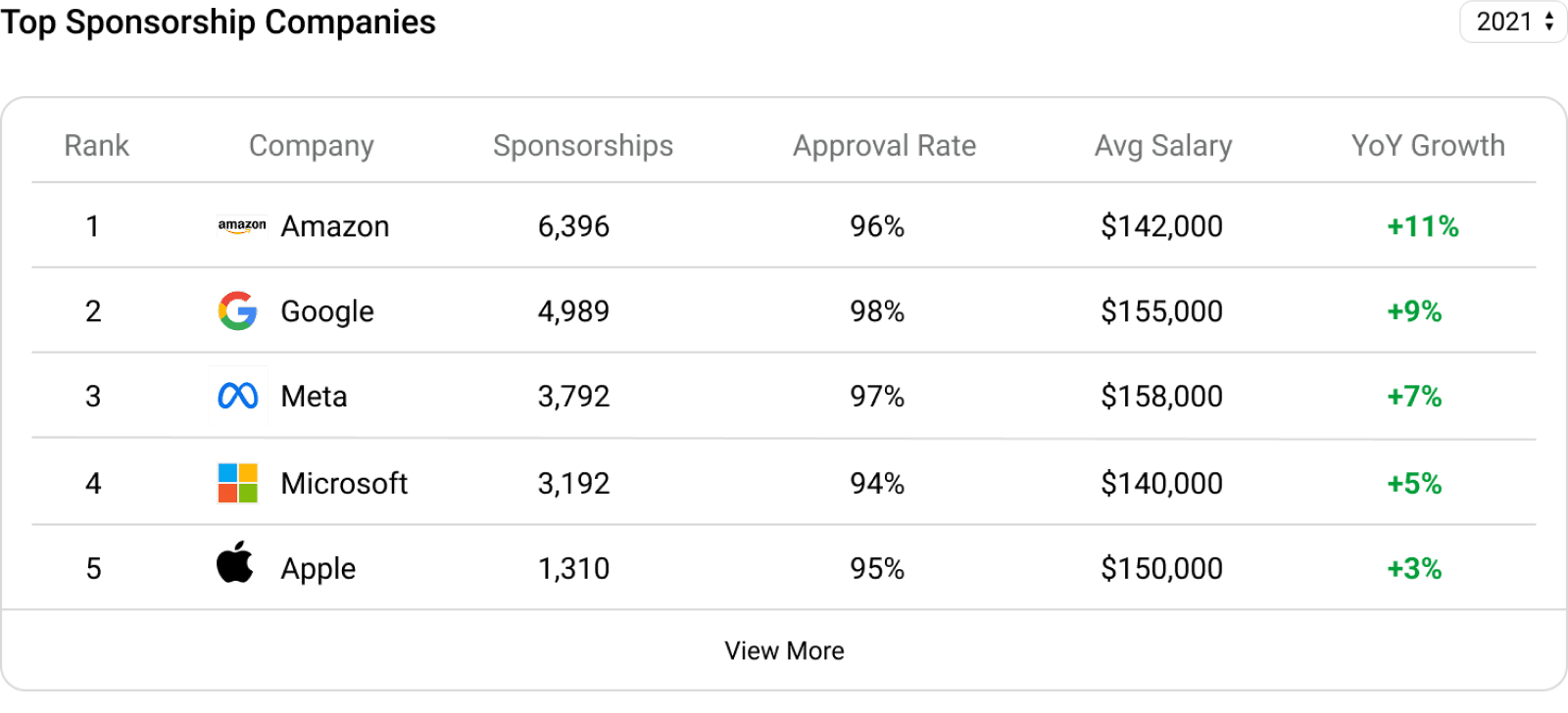
Redesigned Top Sponsorship Companies Ranking — Helped users identify strong, reliable sponsors at a glance.

Policy & Immigration News
H-1B Lottery Updates: New Selection Rules for FY2022
Policy & Immigration News Feed – Kept users informed on regulations that affected their job search.
Sponsorship Eligibility & Guides
Am I eligible for H-1B?
What documents do I need?
How can I prepare/fix my resume for sponsor-friendly companies?
Common Q&A
Sponsorship Eligibility & Guides – Reduced confusion and supported first-time applicants.
Modern Job Search With Clear, Organized Job Details
01
Similar jobs
shown on
left sidebar
Jobs Page
Enter keywords
or adjust filters
System updates
job results
Job detail page
Browse job cards
Apply
Save job
Left sidebar tools
View Job?
Yes
What we changed?
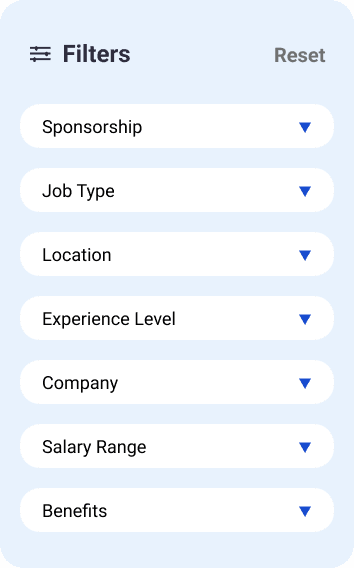
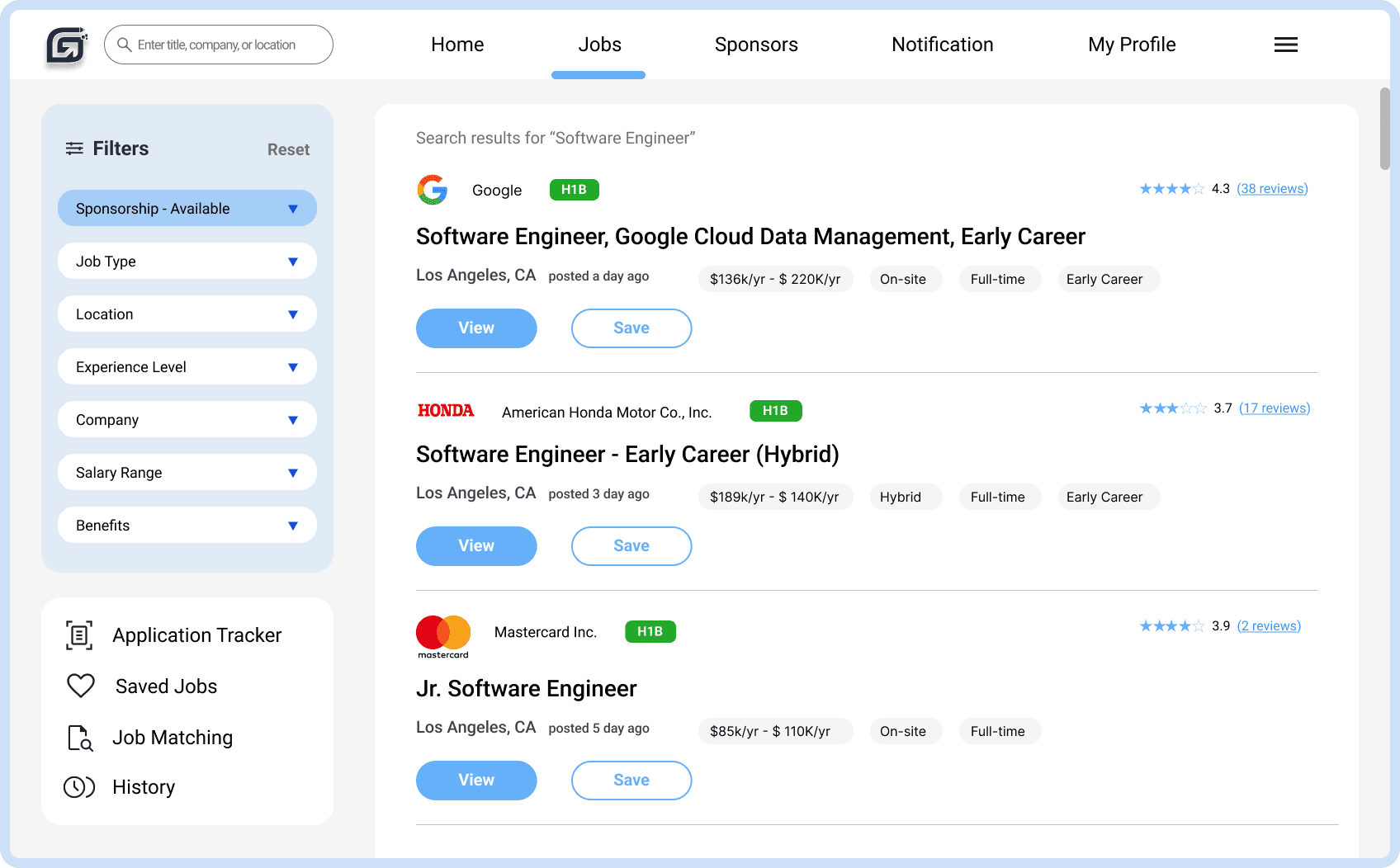
New filter bar – We moved the filter bar from the top of the page to a structured left-side panel, making filters easier to scan and keeping them visible while users browsed. We also introduced a prominent sponsorship-eligibility filter at the top, helping users understand fit and make decisions immediately.
Application Tracker
Saved Jobs
Job Matching
History
Software Engineer I
Matercard
Los Angeles, CA
H1B
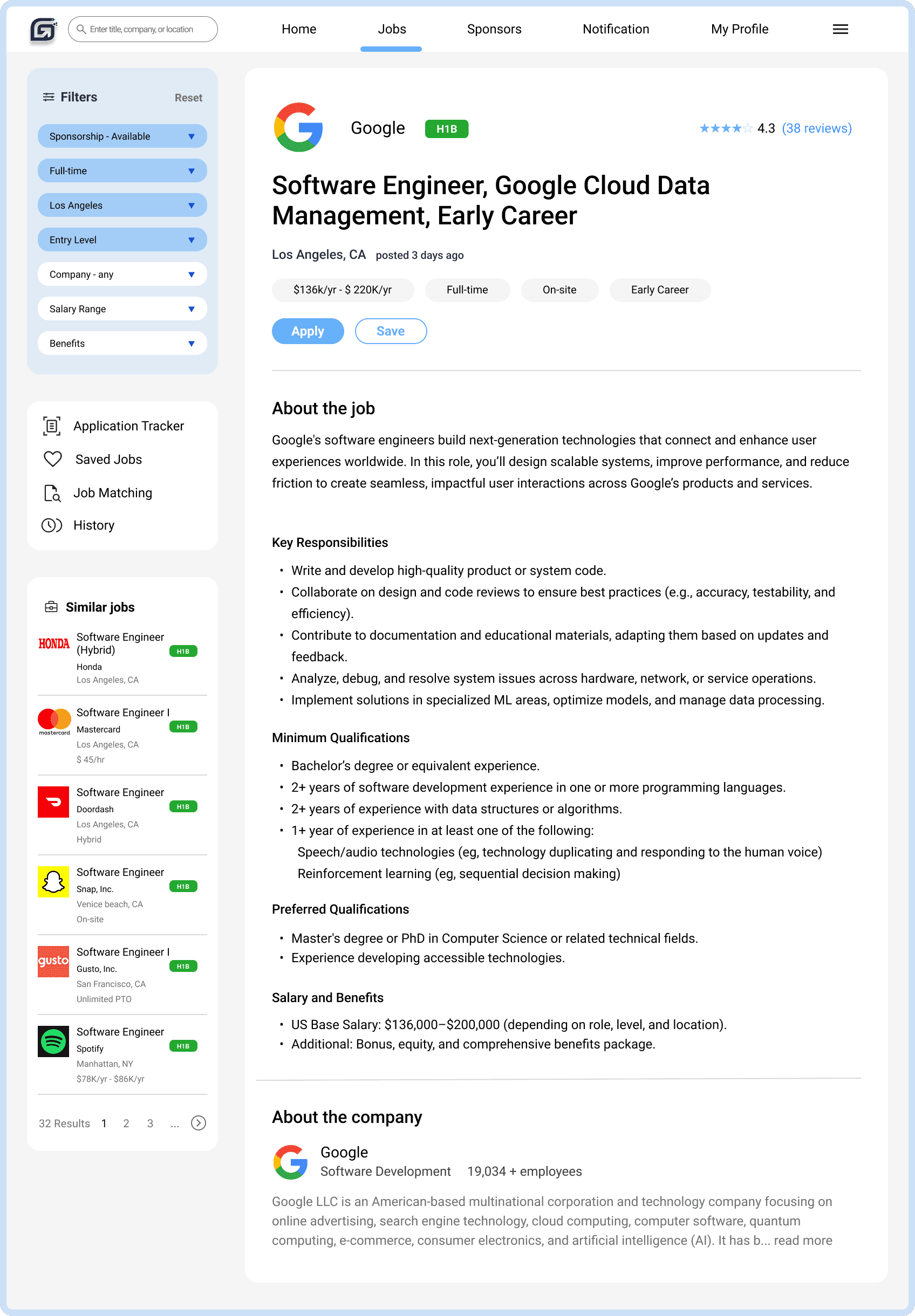
Clean, modern layout with additional features –To better serve our young, savvy users, we created a more modern, balanced layout with clearer hierarchy, added quick-access actions to streamline key tasks, and surfaced highlights like the H1B sponsorship badge for faster eligibility checks.
4.3 (38 reviews)
About the company

Software Development
Company Reviews & About the Company – We brought richer employer context into the job detail page by adding real reviews and a clear company overview, giving users an easy way to understand the culture, read authentic experiences, and get a fuller picture of the team behind the role.
Approaching Solutions
Transformed research findings into actionable features through brainstorming based on user needs.
re-engage core users and drive engagement growth through a modern, user-friendly redesign that improves navigation and usability?
How might we...
User Needs
Streamlined and Organized Job Information
Clear Sponsorship Visibility
Guidance Through the Job & Sponsorship Process
A Personalized Center
to Track Job Search Progress
User Pain Points
Laborious User Flow
The website's disorganized design and overly broad content made it unintuitive to use.
Ambiguous Sponsorship Information
The lack of clear sponsorship information led users to apply for unsuitable roles and seek external sources.
Lack of Job Organizing Mechanism
Easy to get overwhelmed when managing and tracking jobs, as the system did not address these specific needs.
Evaluating the experience through a UX audit
To deepen what we learned from user interviews, we performed a UX audit to examine how user frustrations were reflected in the interface.
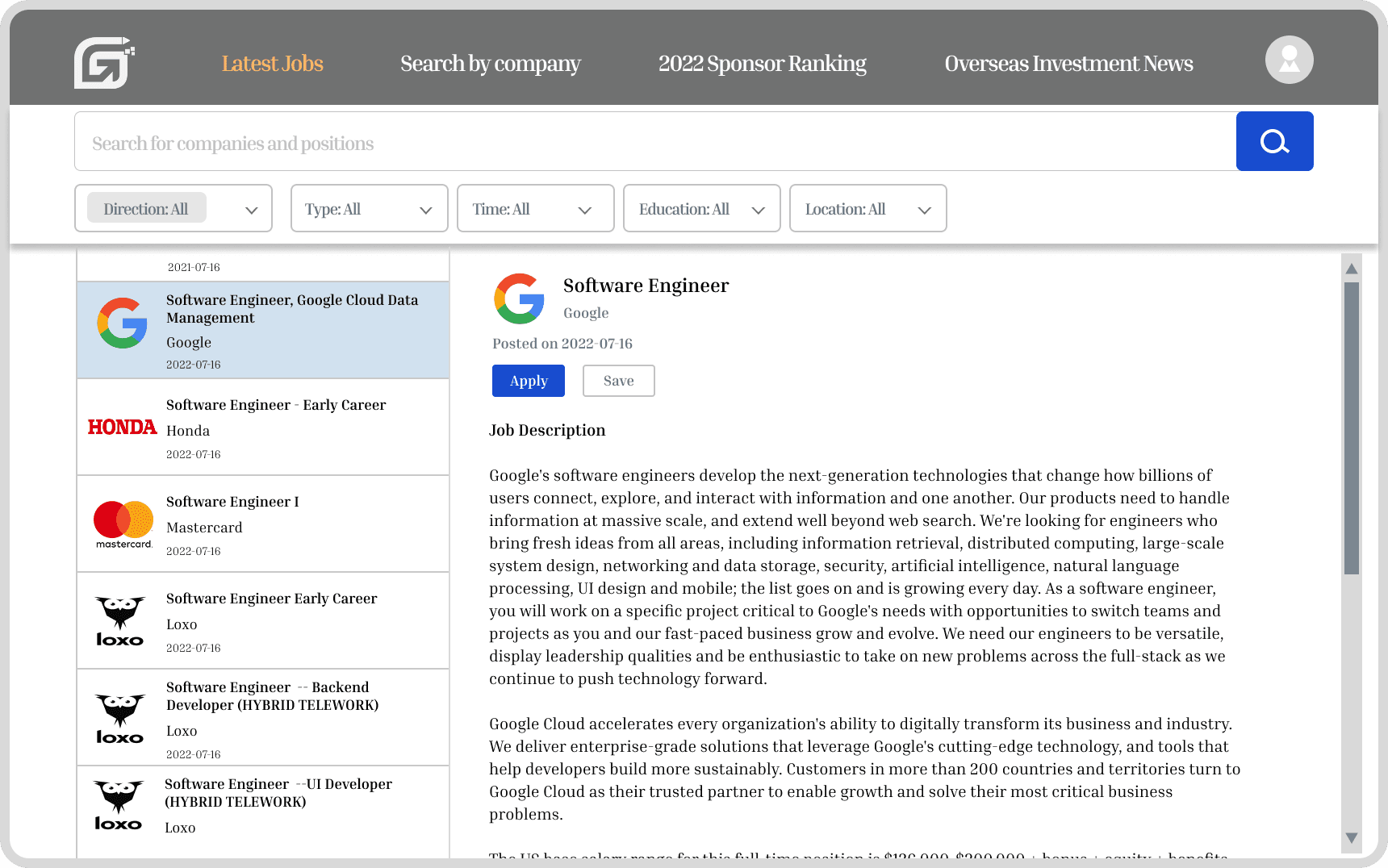
Cluttered navigation bar – The top category links were irrelevant and confusing.
Outdated visual style – The design looked outdated, lacking visual balance and clear hierarchy.
Unorganized filter bar – Limited search options hinder users from finding relevant results efficiently.
Lack of sponsorship information –users couldn’t easily see which companies sponsored.
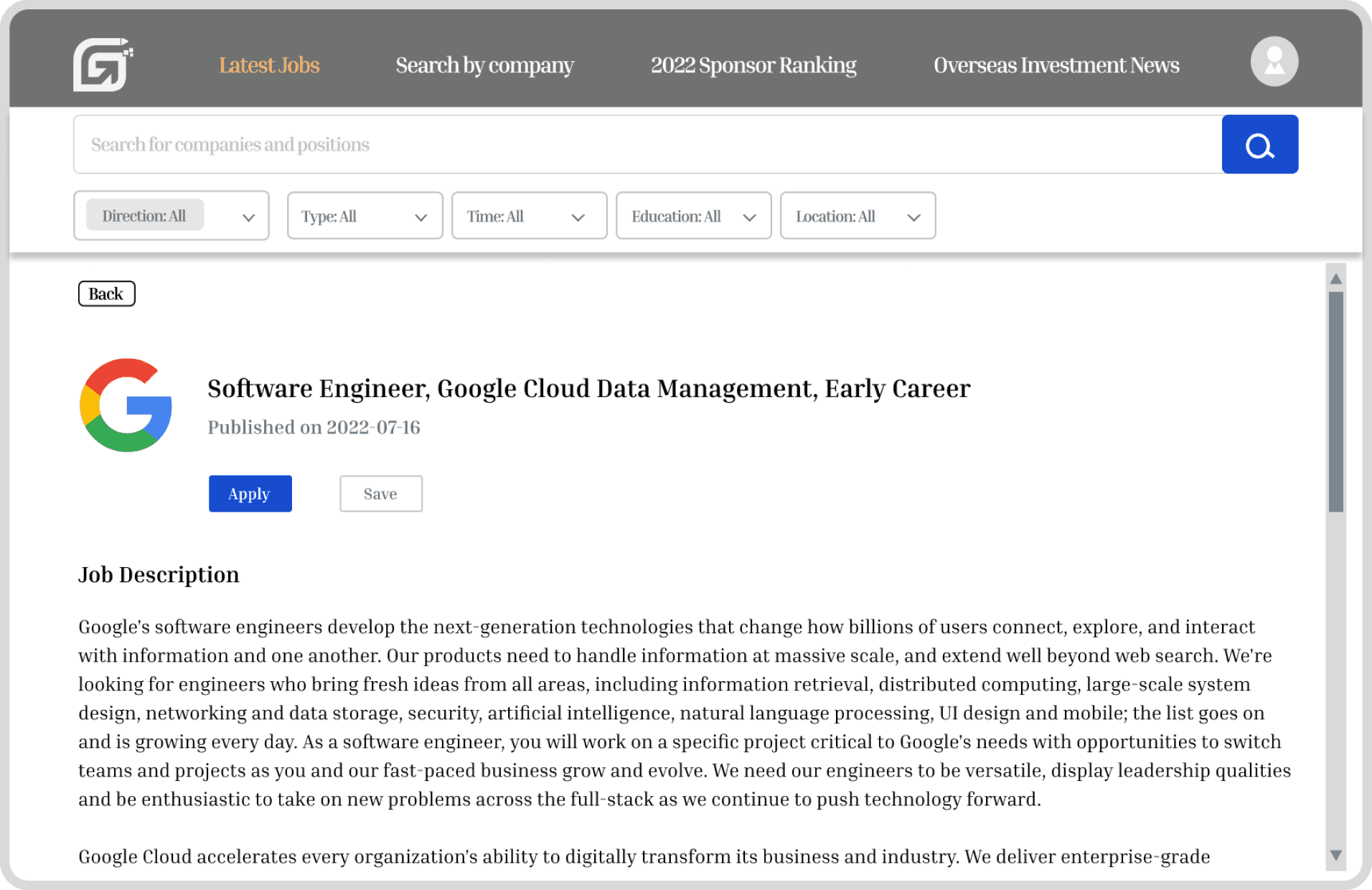
Key information – Missing highlights like sponsorship, salary, and location made it harder for users to grasp details or act fast.
Limited navigation – Users could only view one job detail at a time and had to click back to explore others, interrupting browsing flow.
Dense layout – text-heavy design with minimal spacing made content hard to scan and digest.
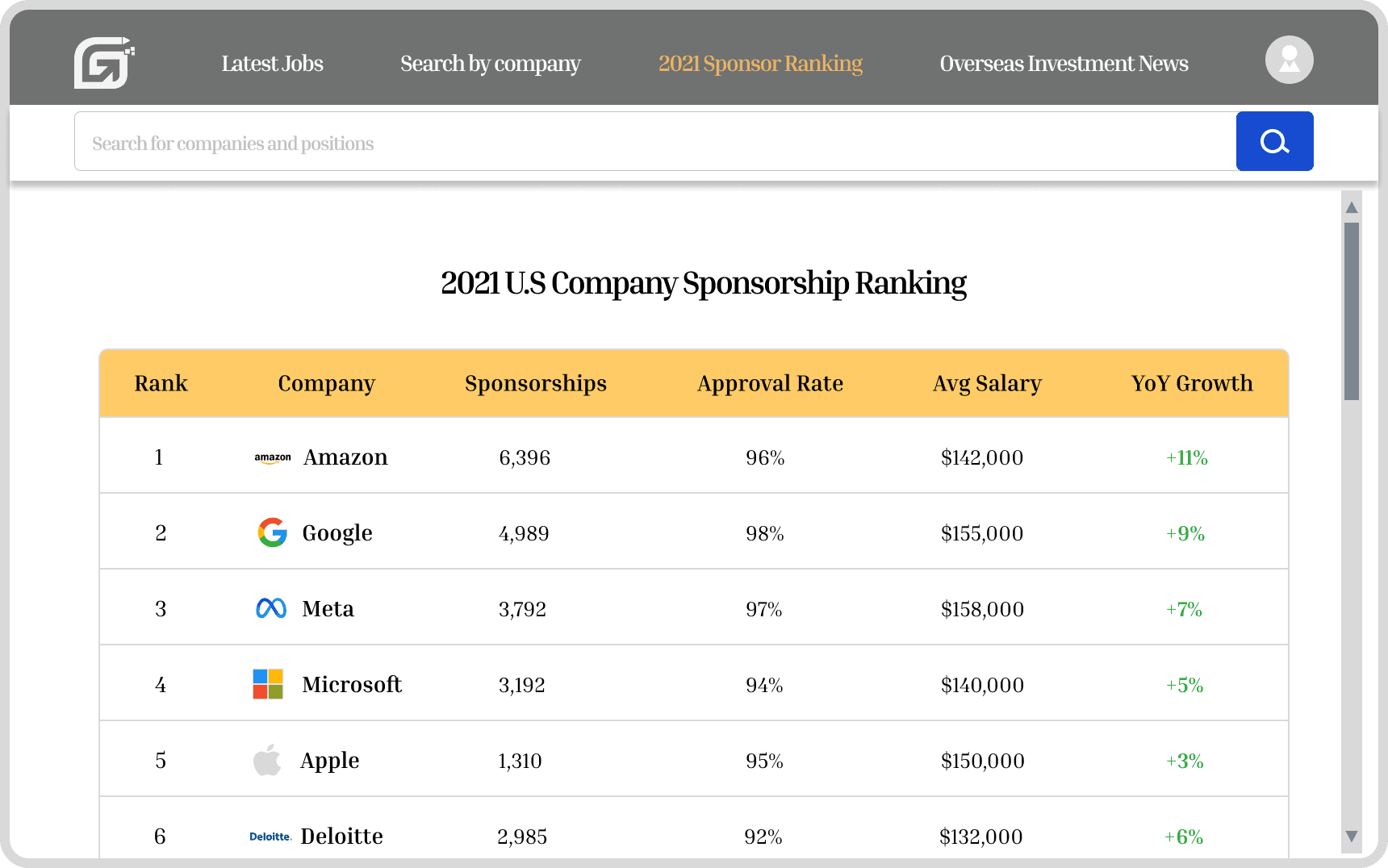
Single-purpose page – The page presented only the ranking, leaving users without support or follow-up actions.
Low engagement pathways – The page offered no additional information—such as sponsorship requirements or company context—making the ranking feel shallow.
What did the users say?
In order to uncover key pain points and user needs, we conducted 200+ surveys and follow-up interviews. Here are some of the things users told us:
"As an international student, sponsorship is my top priority, but the site doesn’t make this information clear. I sometimes applied to roles that aren’t eligible, which ends up wasting time.”
--- Alex, an International student
“I stop using the site after job search because the job details are overwhelming and the layout feels unstructured, with too much irrelevant information.”
--- Nick, a fresh graduate
“Managing all my applications gets confusing, and I easily lose track of where I am with each one. I need a tool that lets me track jobs, set reminders, and stay on top of deadlines.”
--- Ben, a local job seeker
Context
Problem
The platform was outdated, cluttered, and inconsistent, leading to a fragmented user experience that failed to meet user needs. The business experienced slow growth over the trailing six months.
33.9%
DROP-OFF RATE
39.4%
USER SATISFACTION
47.1%
DAILY ACTIVE USER
Constraints
Time - We were given a six-month window to design, build, and test the first MVP phase.
Small Team - Our team was lean, consisting of one PM, one UX researcher, one designer, and one engineer.
Navigation Limitations - Lack of modern navigation patterns required us to rethink the entire information architecture.
User Profiles
Primary User
International users seeking job opportunities and career growth in the U.S. job market.
Secondary User
Local job seekers exploring opportunities that align with their skills and goals.
Personalized Profile with Centralized Application Management and Progress Monitoring Tools
The user profile page brought application status, past activities, and upcoming schedules together in one place, personalized recommendations helped users discover relevant opportunities more easily.
extended view
Unified Sponsorship Center for Faster Insights & Confident Decision-Making
Sponsorship was our users’ top priority, so we consolidated essential insights and tools into a single, organized hub. This made it easier for users to verify opportunities quickly, stay informed, and move through the sponsorship process more fluidly.
extended view
Enhanced Job Detail Page Made Digestible Through Intentional Visual Cues & Organization
By surfacing key details upfront, restructuring the page into a two-column layout, clarifying section organization, and adding company reviews and background, users were able to absorb information faster and explore more smoothly.
extended view
Final MVP
Modernized Job Navigation Page with Improved Information Hierarchy
We introduced a clean, modern layout with clearer hierarchy and consistent styling, streamlined the navigation by grouping core sections for faster browsing, reorganized the filters into a more intuitive and informative filtering panel, and added quick-access actions that surface key highlights to drive more meaningful engagement.
monitor/desktop view
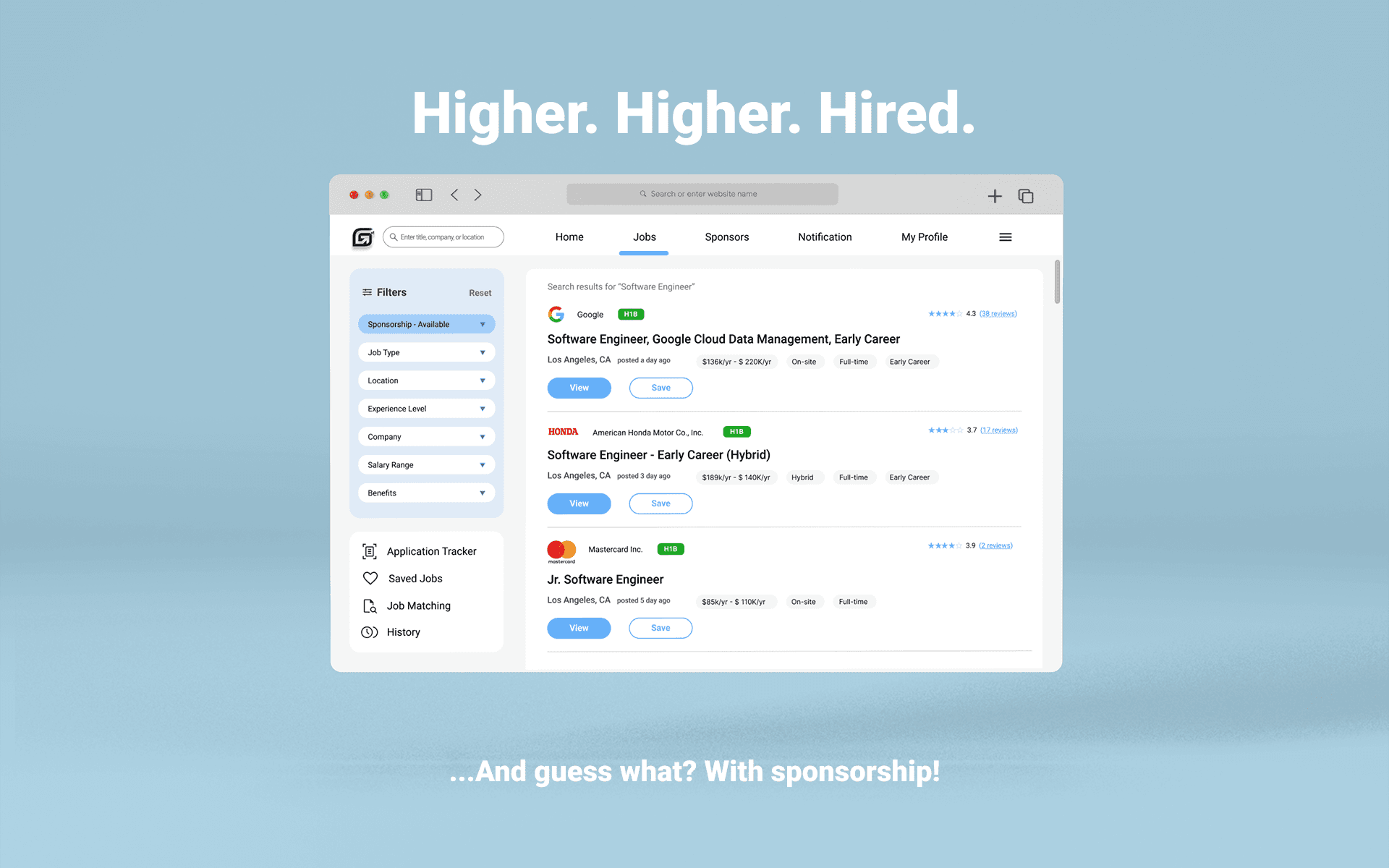
Simplifying job search for international users with sponsorship requirement.
My Role
UX Designer
Duration
Feb 2021 - Aug 2021
Team
Project Manager
UX Researcher
Engineer
Platform
Website App
Overview
HaiTouWang is an innovative online platform designed to simplify the job search experience for international users, supporting them to seamlessly navigate the competitive U.S. job market.
I redesigned the responsive platform to streamline job discovery, applications, and management for international users, improving efficiency and effectiveness.
Opportunities
Business
Increased engagement by improving navigation and introducing features that reduced drop-off and helped lift DAU.
Design
Modernized the interface with updated visuals to create a more engaging, youth-friendly experience.
Results
As we aligned the experience more closely with users’ needs, users immediately responded with higher engagement, returning more often and exploring jobs more deeply than before.
After launch, weekly active usage increased notably, user interactions across key touchpoints rose, and application conversions continued to grow as the experience became more intuitive and supportive of users’ job-search habits.
19%
USER CONVERSION
15%
USER INTERACTION
20%
WEEKLY ACTIVE USER